One vault for everything
Photos, videos and PDFs. Contacts, voice memos – and your passwords with their verification codes, plus cards, ID documents and PINs. Instead of five apps with five passwords, there's one place that only you can open.
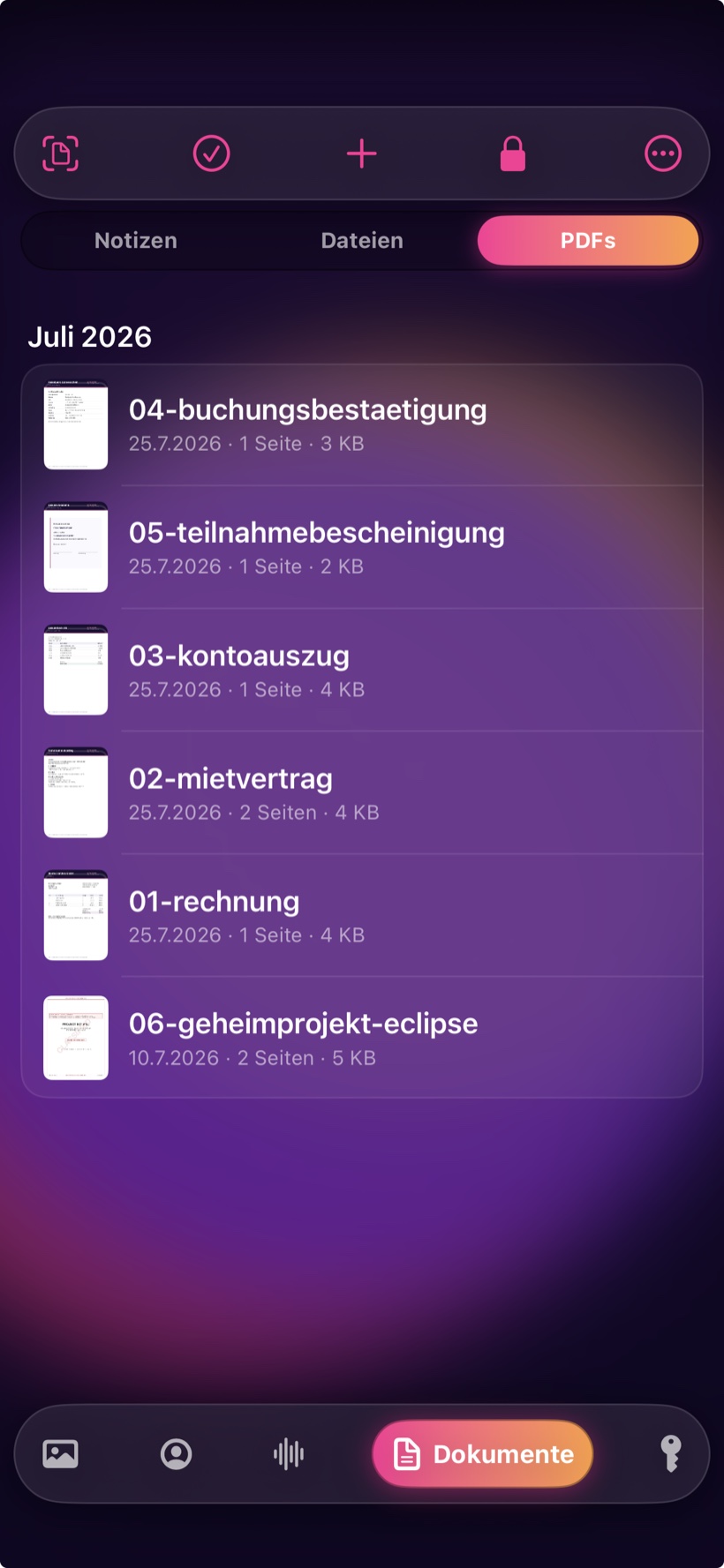
Photos, videos, documents, contacts and passwords in one encrypted vault on your iPhone. No sign-up, no subscription, no cloud – and smart all the same.
€4.99 one-time – no subscription, no recurring costs. For iOS 16 and later. No account needed.
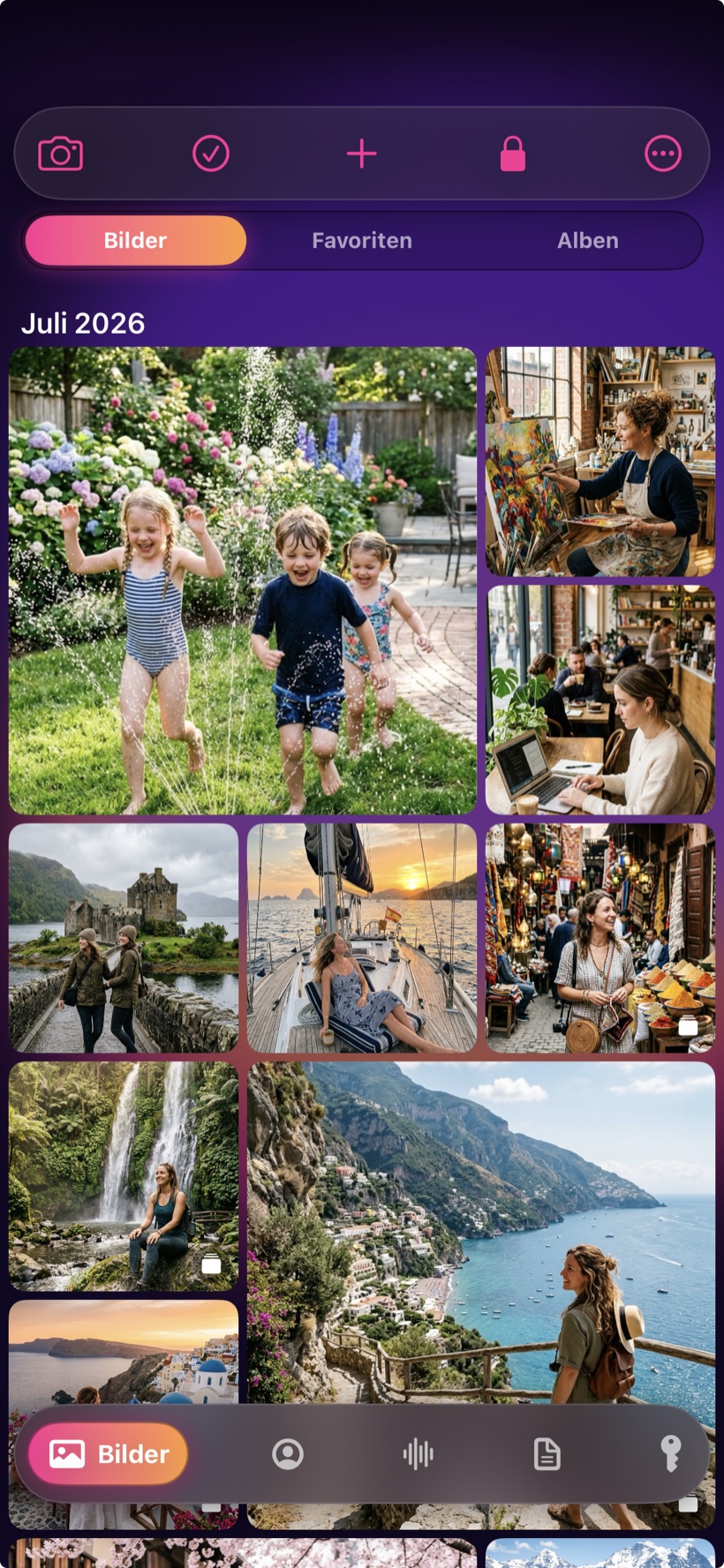
Features
Most vault apps just hide pictures. MyMediaVault holds everything you want to keep private – and even fills in your passwords in Safari.
Photos, videos and PDFs. Contacts, voice memos – and your passwords with their verification codes, plus cards, ID documents and PINs. Instead of five apps with five passwords, there's one place that only you can open.
Sign in to Safari and to apps without typing – verification codes for two-factor sign-in included. The same tab keeps cards, bank accounts, ID documents, PINs, licences, Wi-Fi keys, backup codes and loyalty cards – each kind with the fields that belong to it, confidential ones hidden. Card numbers and IBANs are checked for transposed digits on the device, Wi-Fi is passed on as a QR code, and a loyalty card shows its barcode full width at the till. If something is about to expire, the app reminds you in time – without giving away on the lock screen what it is. You don’t have to type an ID document either: photograph both sides and the app reads the machine-readable zone, marking every detail as verified or guessed before you accept it.
No user account, no sign-up, no server that we run. Your content is encrypted with AES-256 and opened with Face ID or your password – by no one else.
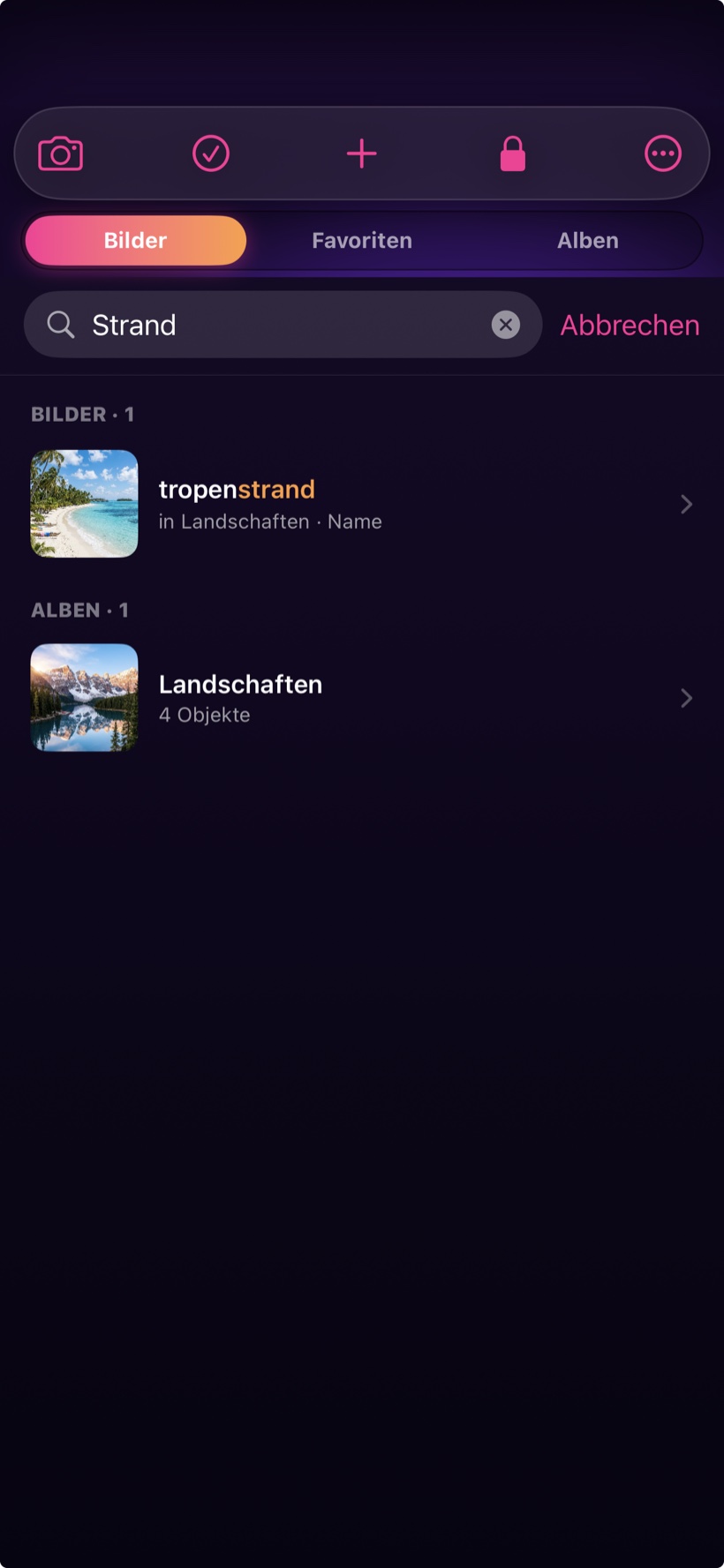
The app recognises subjects in your photos, turns voice memos into searchable text and reads text from scans – all right on the iPhone, without a single image leaving the device. In English, German, French and Spanish.
A look inside the app
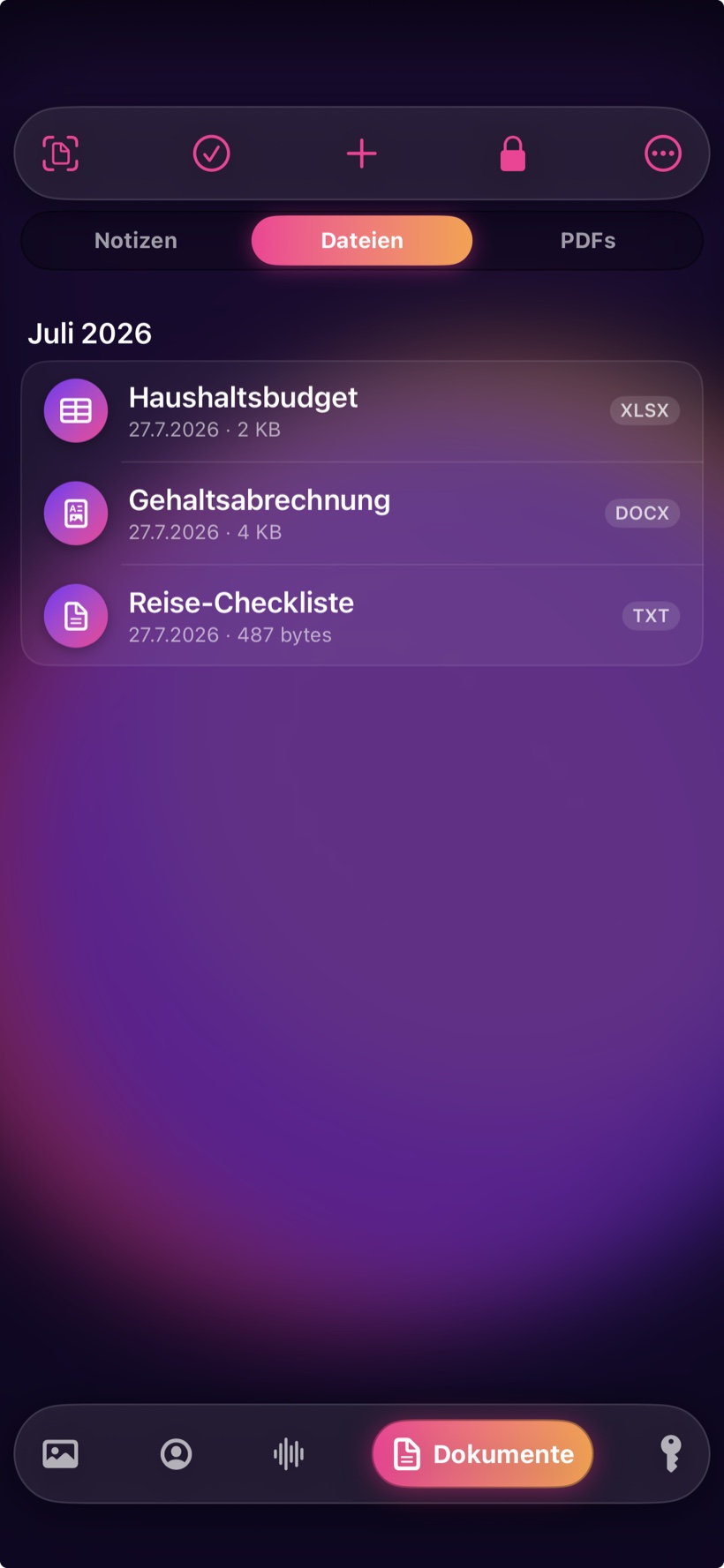
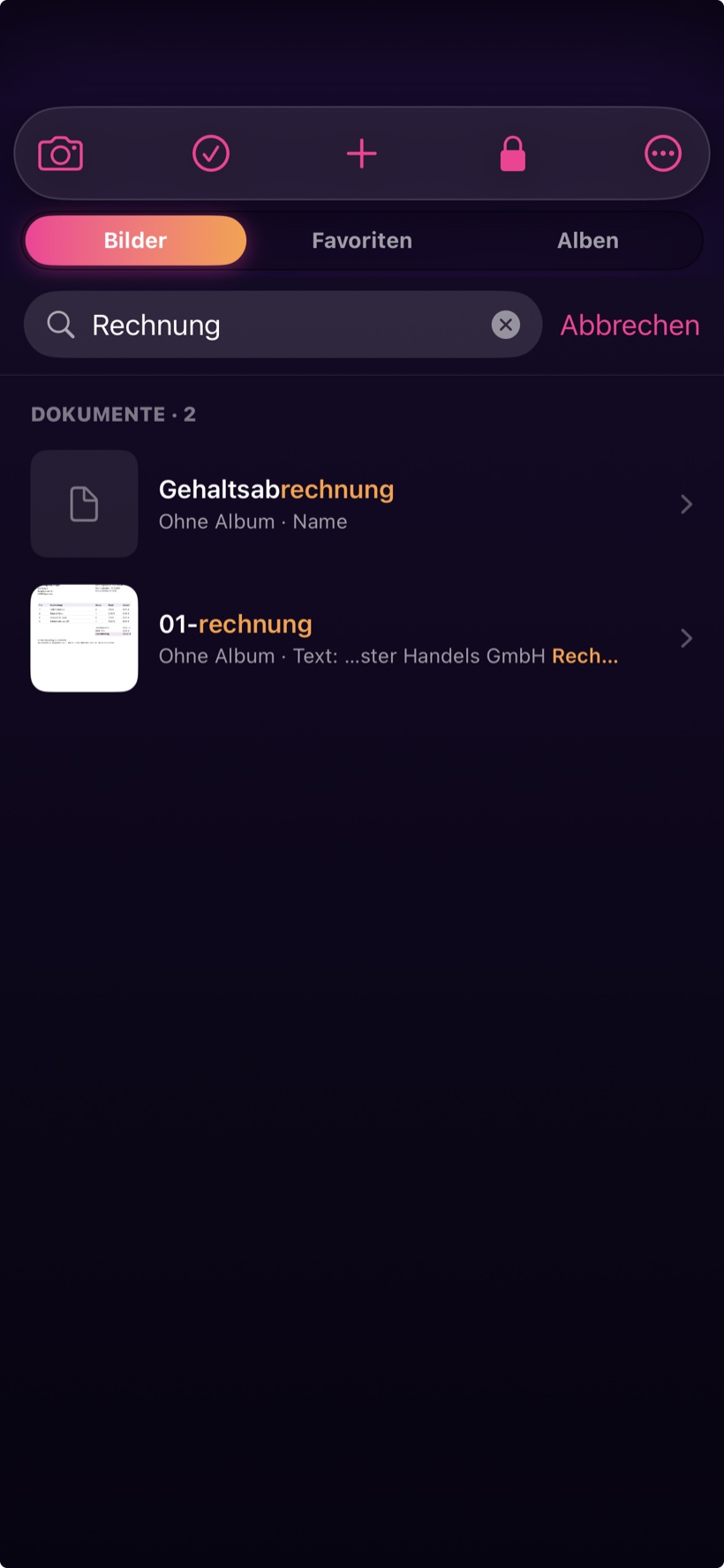
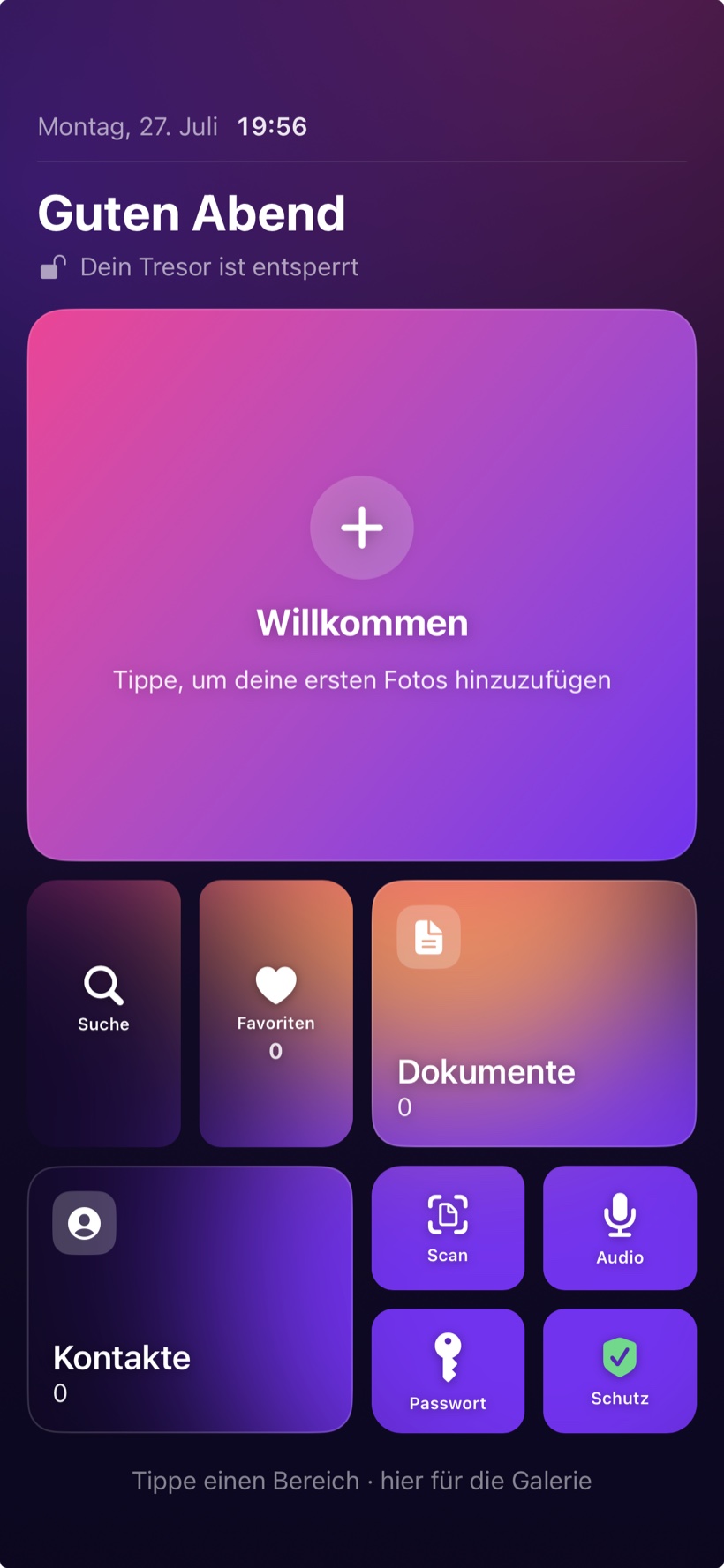
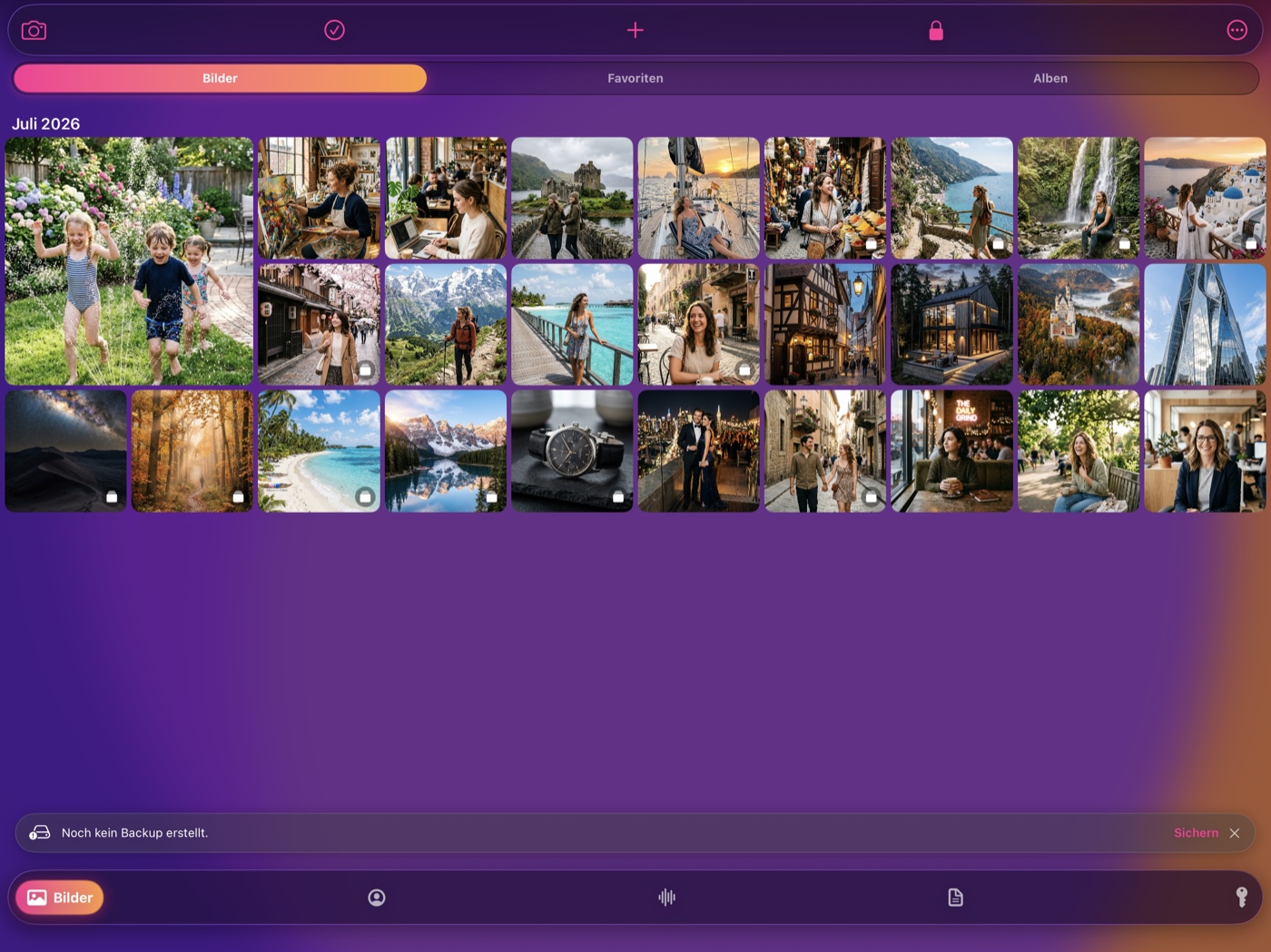
Photos and albums, documents, contacts, passwords and voice memos – one place for everything private, in the same calm look.
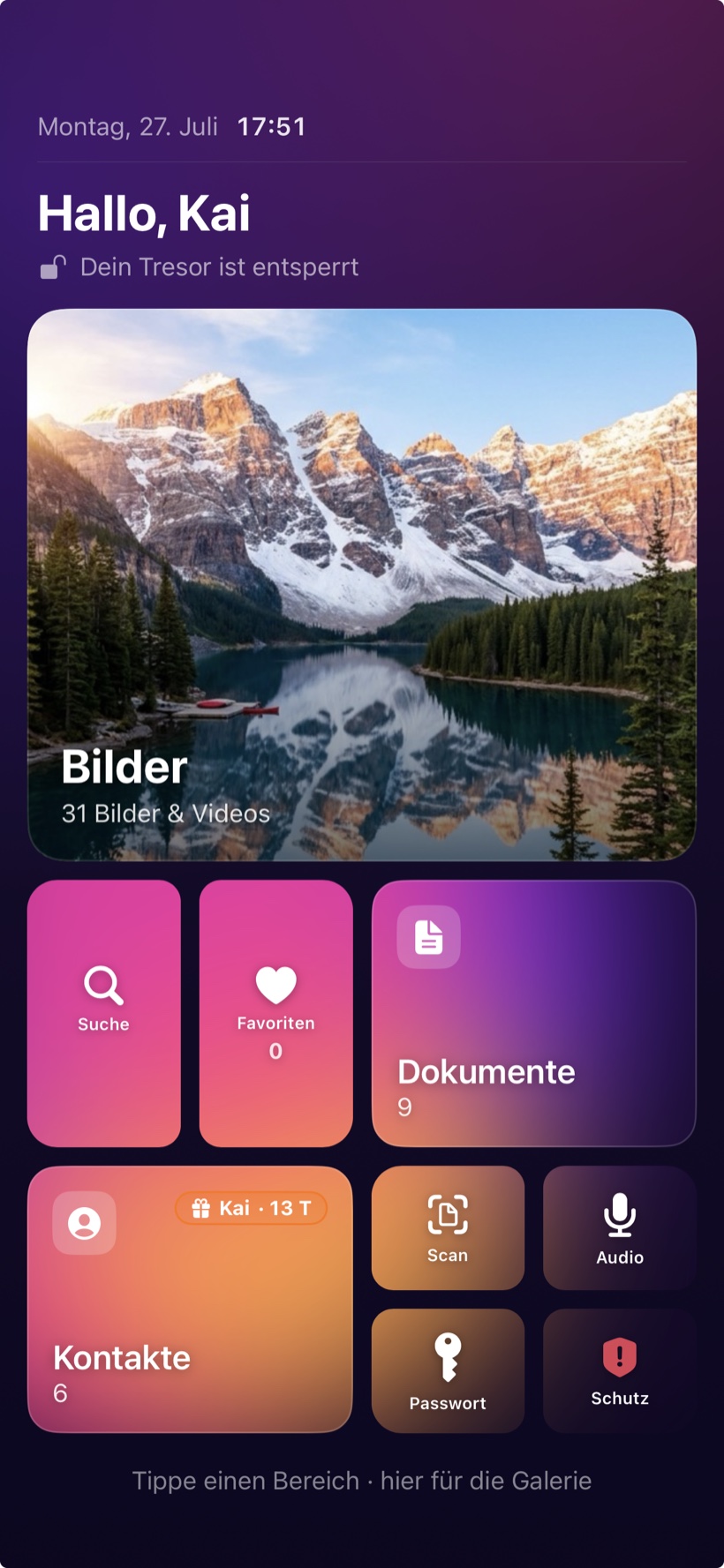
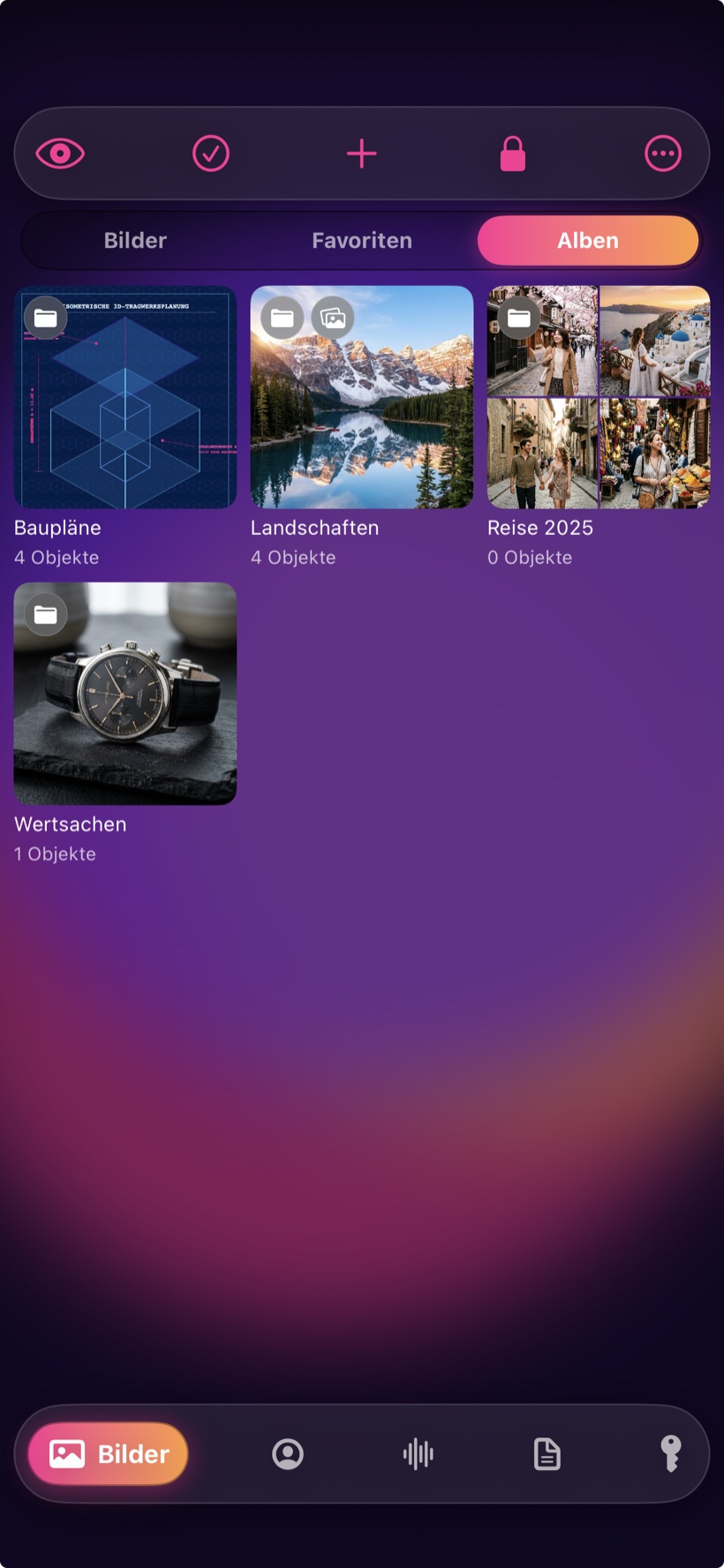
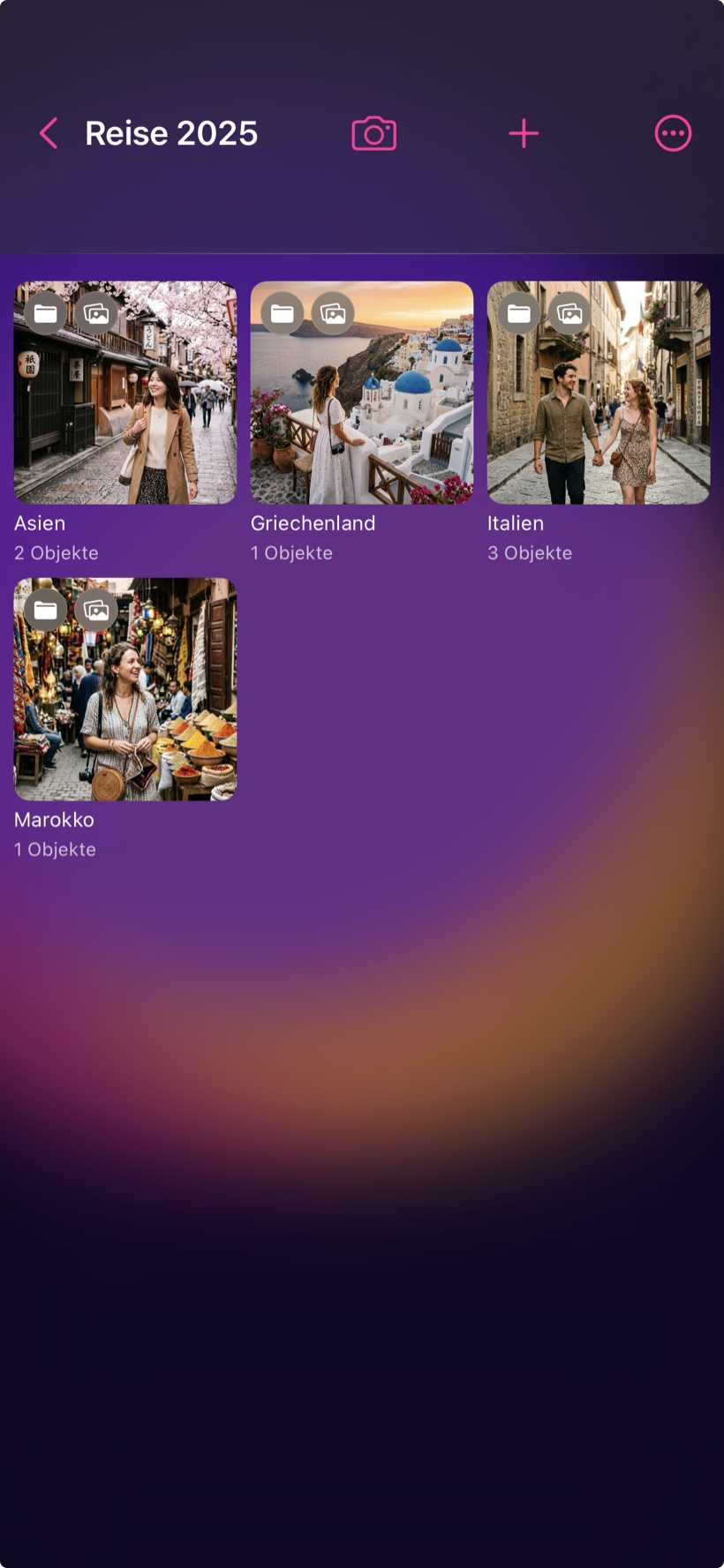
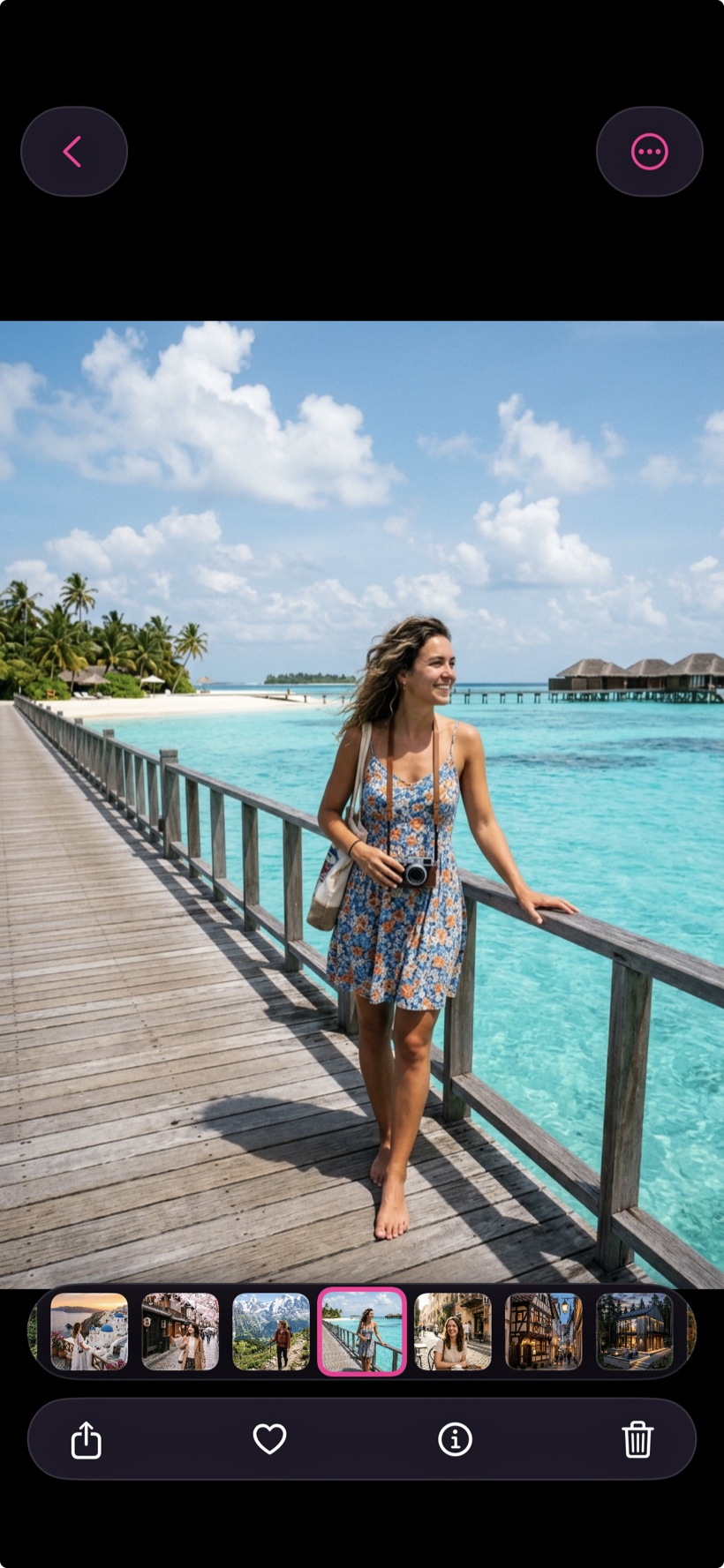
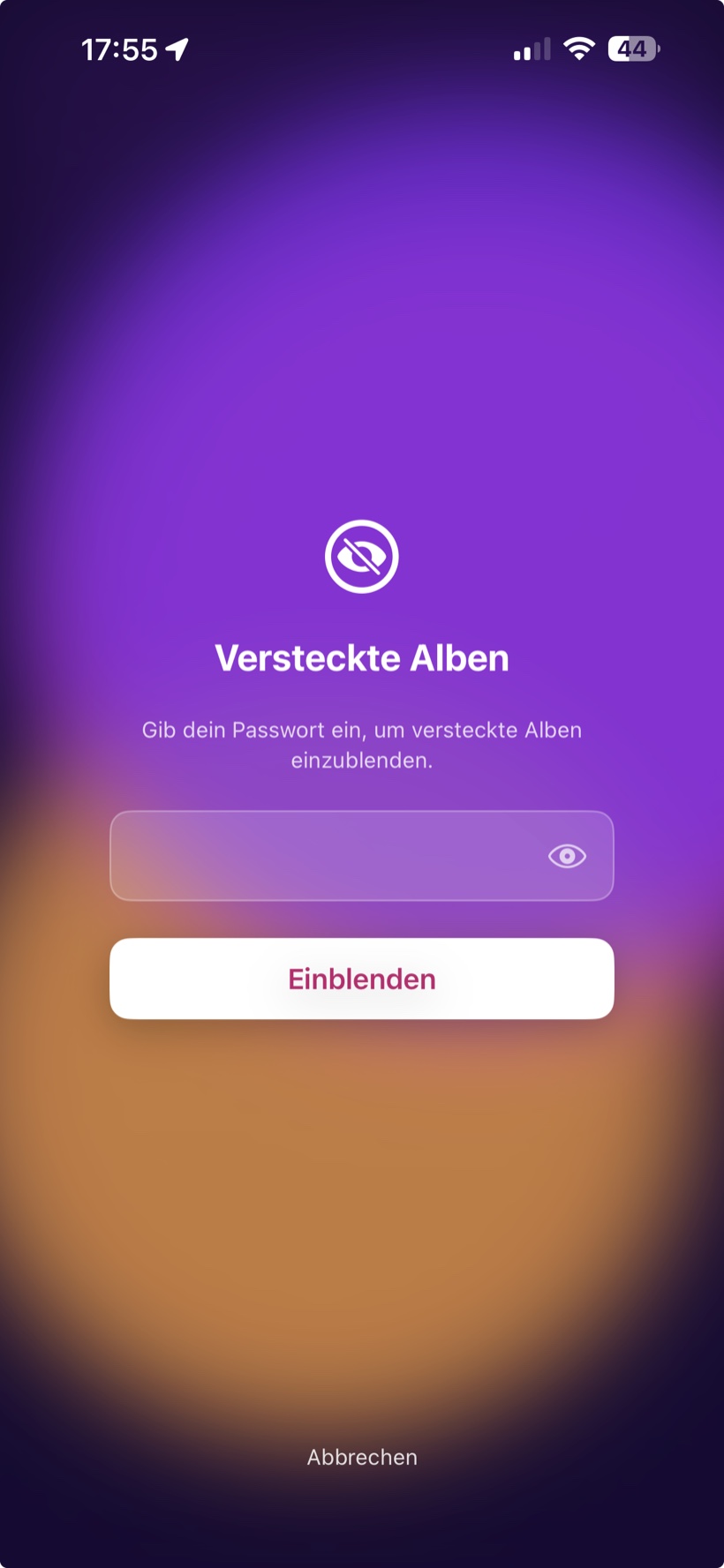
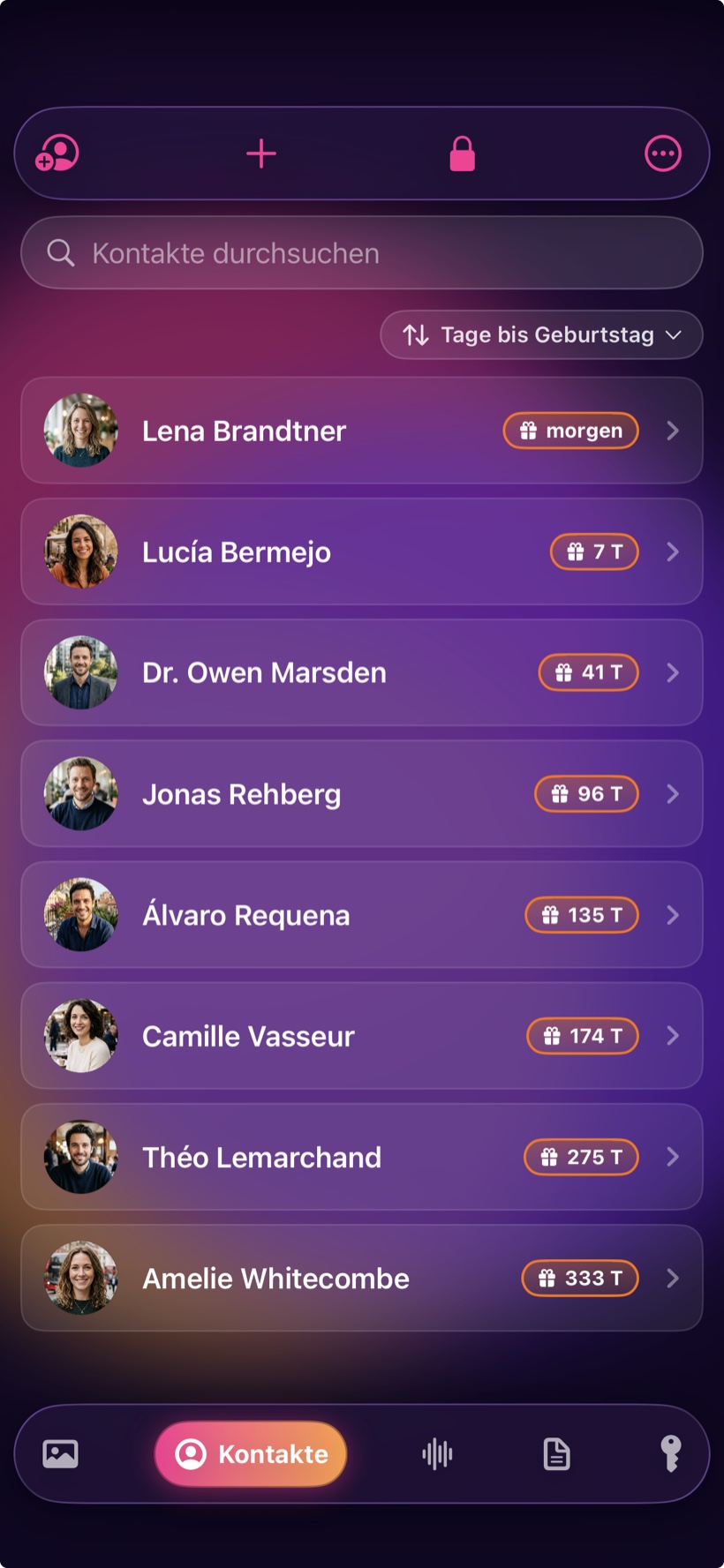
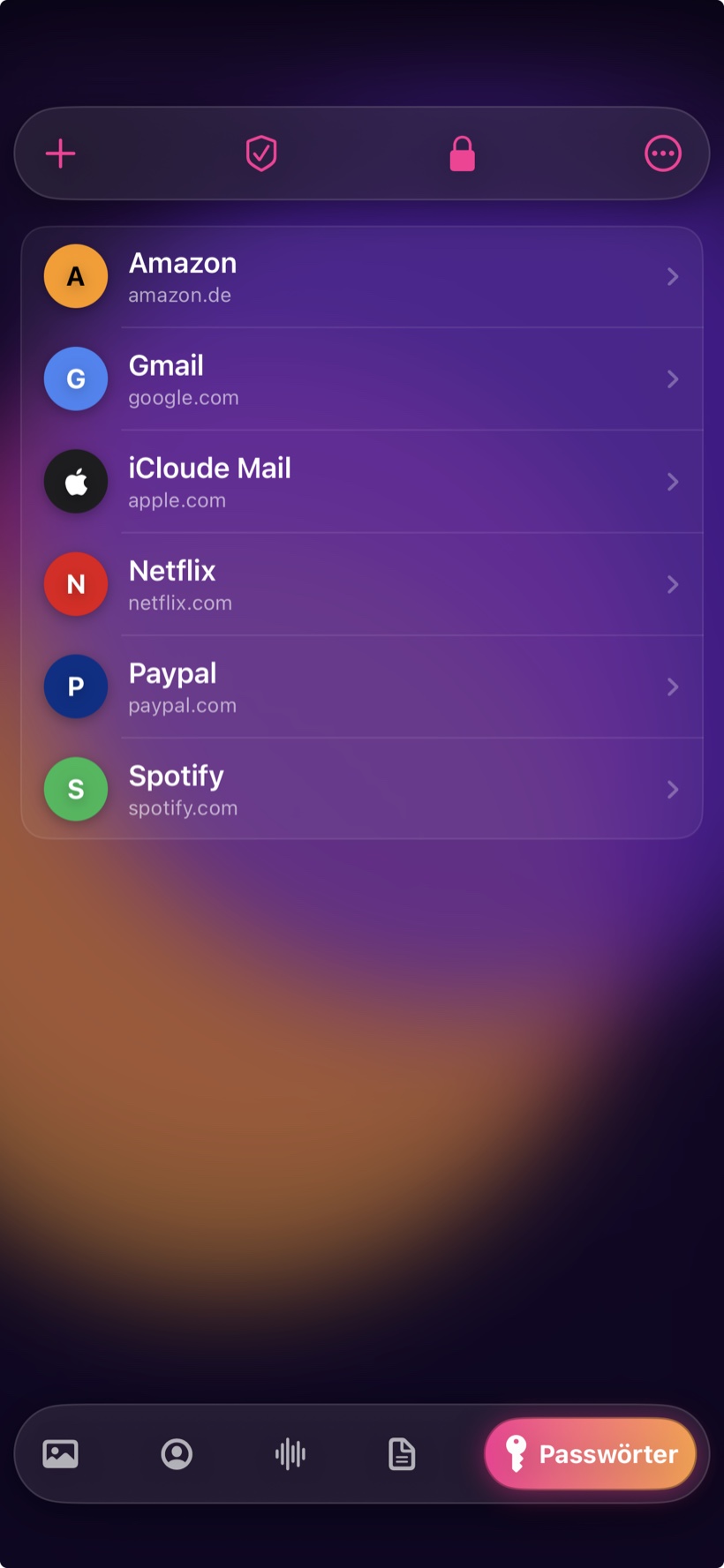
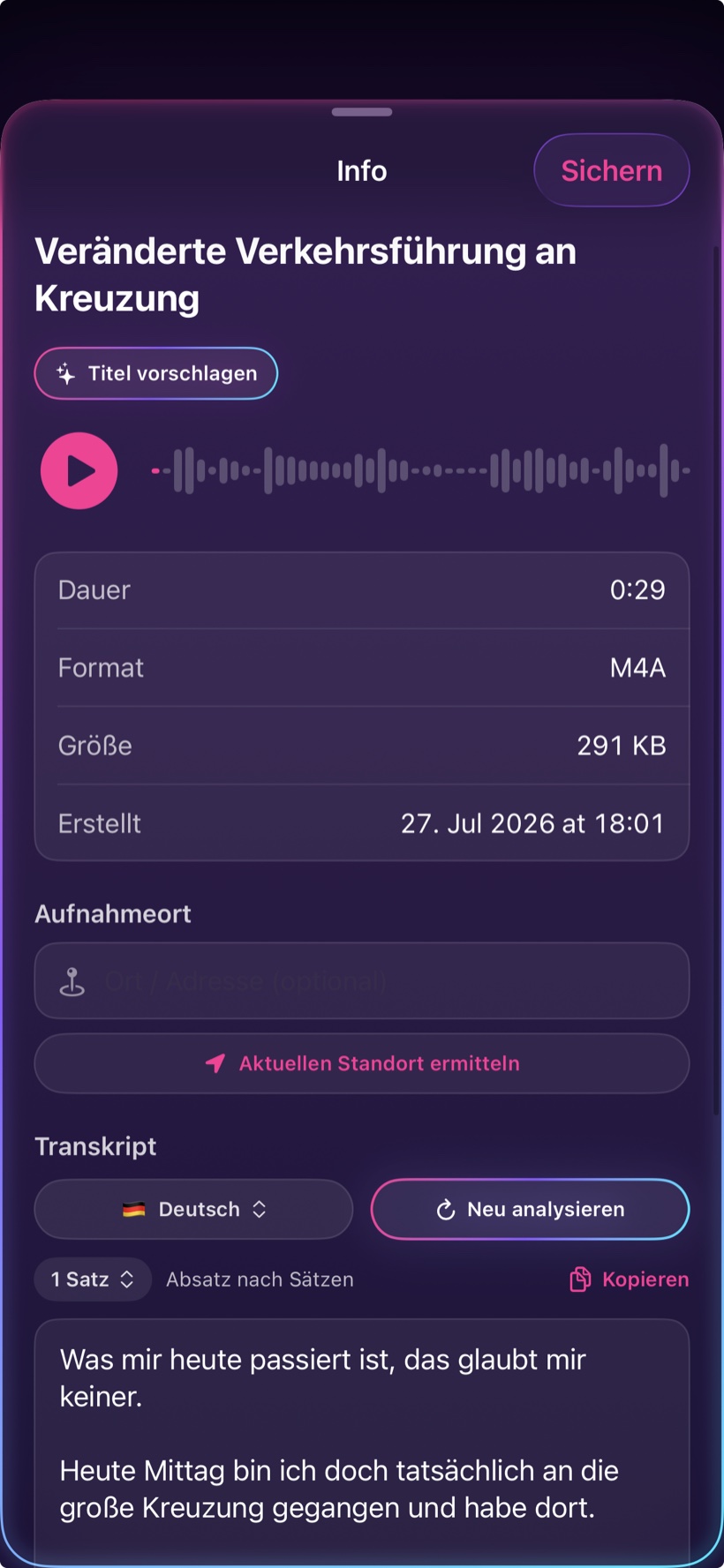
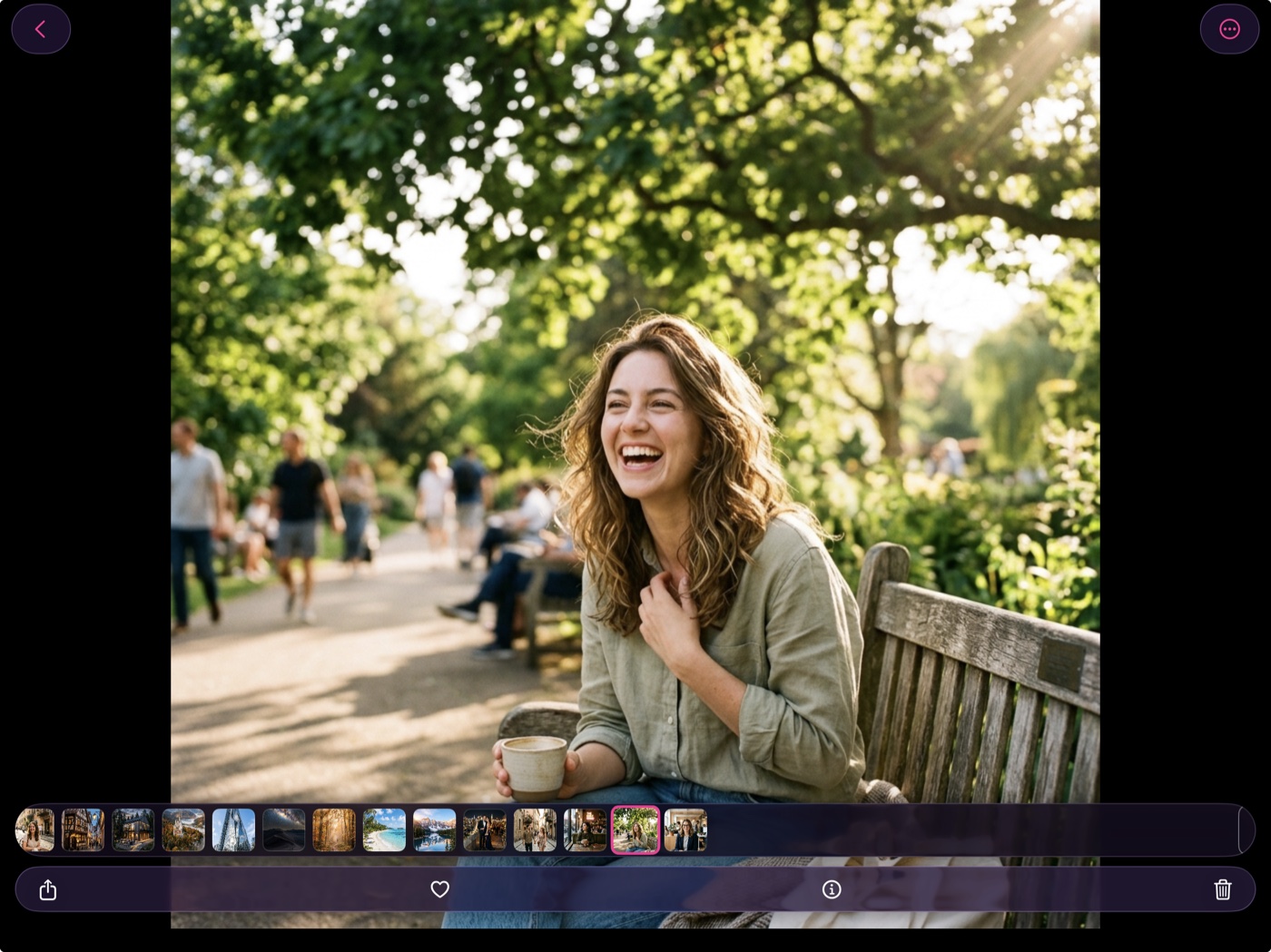
All screenshots show the app exactly as it really looks – the sample content inside them (photos, contacts, texts), however, is entirely AI-generated. No real people and no real user data are shown: a vault app that advertised with the memories of real people would contradict its own promise.
How it works
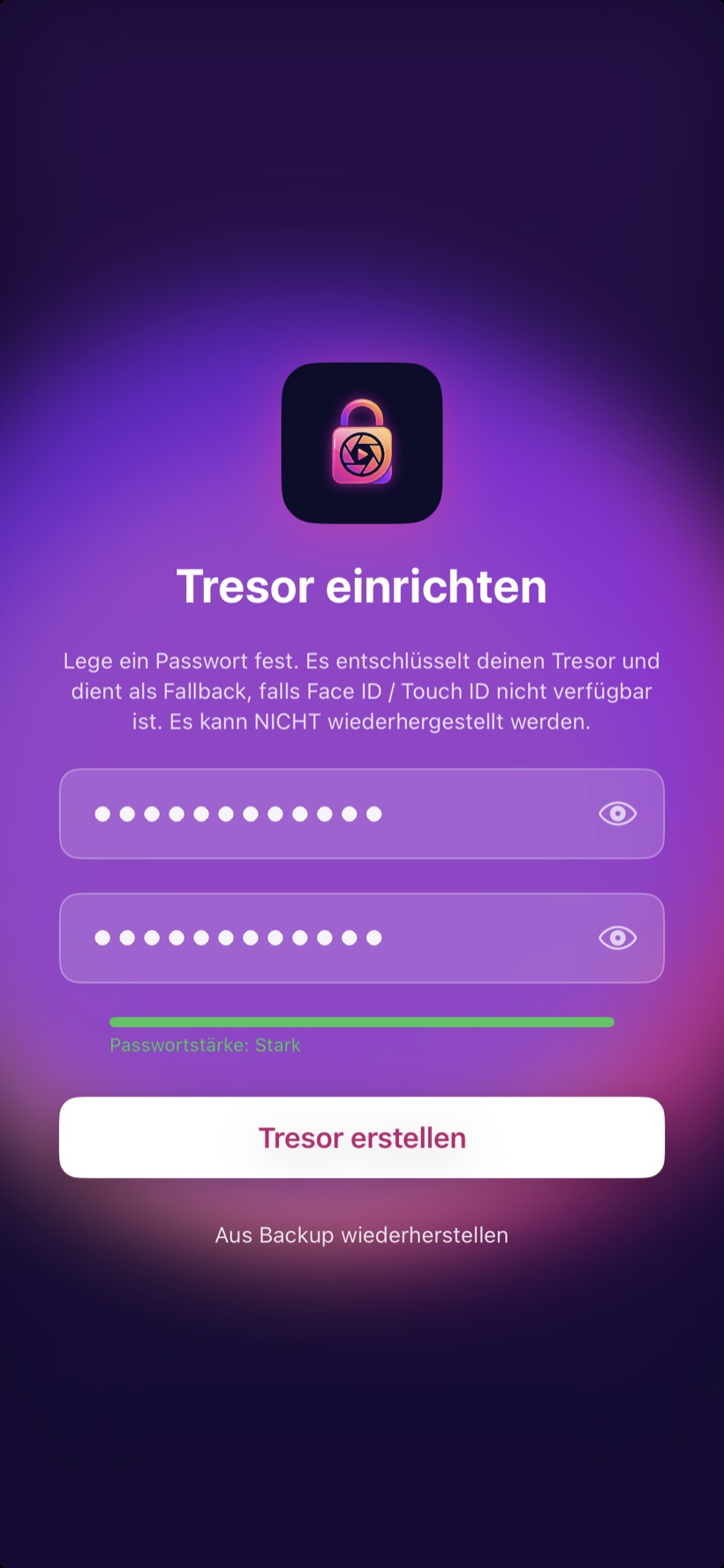
No account to create, no email to confirm. You choose a password – done.
Choose a password, turn on Face ID, note down your recovery code. It takes a minute and happens entirely on your device.
Import from the Photos app or from Files, capture directly with the built-in camera, scan documents or share from other apps. Afterwards you can delete the originals.
Albums, tags, full-text search. The vault fills in passwords in Safari, voice memos become text – and an encrypted backup protects you against losing your device.
Security
This isn't a marketing line but a technical decision: there is no server where anything could ever end up.
The flip side, honestly: Because no one but you holds the key, no one but you can open the vault. If you forget both your password and your recovery code, the content is lost – not even we can recover it. That's the price of having no back door.
On iPad, too
The same app, the same encryption – on the bigger screen.
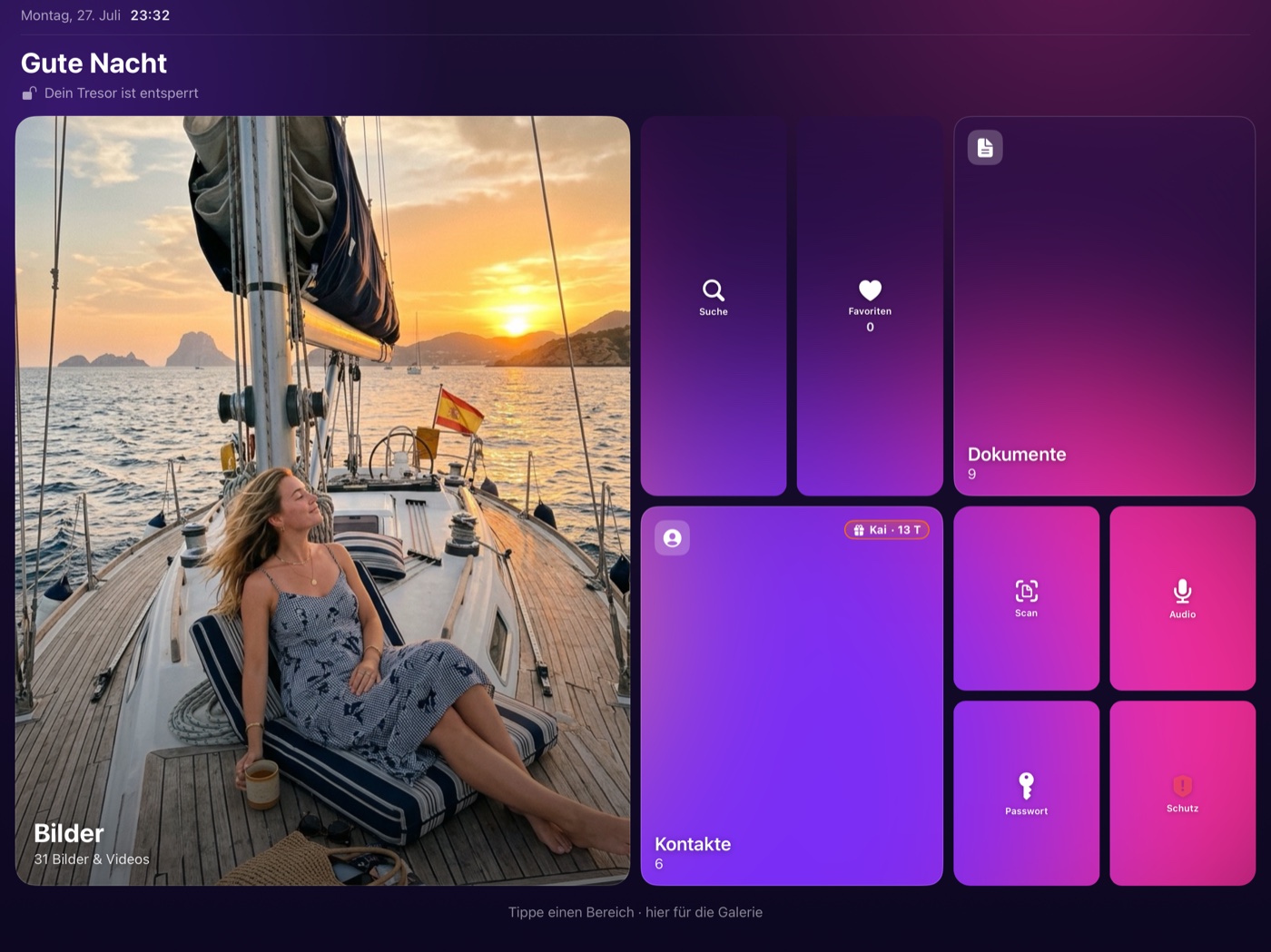
Verifiable
Any app can claim it never phones home. We'd much rather you measured it yourself – with tools built into your iPhone that we have no influence over whatsoever.
iOS keeps its own record of which servers an app contacts. That record is kept by the operating system – no app can switch it off, dress it up or fake it.
The one exception: when you buy, Apple's payment system talks to the App Store. The app itself talks to no one – not even to us.
Import, search, object recognition, videos – everything keeps working. An app that secretly depends on a server gives itself away right here.
Open an iPhone backup on your computer. The vault doesn't show up there – it is deliberately excluded from the backup.
For the technically minded: run the iPhone through a proxy or a Mac internet share and watch it in Wireshark. Expected result: nothing.
That the app sends nothing, you can measure. Whether the encryption inside is implemented without flaws, you can't check – that would take open source code or an independent security audit. Neither exists today, and we'd rather write that down than keep quiet about it.
What stands in its place: no account, no servers, no advertising or analytics services – and a one-time purchase price instead of a business model that runs on your data.
No subscription, no monthly fees, no ads. What you buy is yours – on every other device with the same Apple ID, too.
|
MyMediaVault
4,99 €
one-time · the full app
|
MyMediaVaultPRO
+ 9,99 €
one-time · optional add-on
|
|
|---|---|---|
| Included in the base app | ||
| Store photos & videos encrypted | ✓ | ✓ |
| Import PDFs and files | ✓ | ✓ |
| Contacts in the vault | ✓ | ✓ |
| Voice recordings | ✓ | ✓ |
| Passwords, cards & two-factor codes incl. AutoFill | ✓ | ✓ |
| Albums, favorites & search | ✓ | ✓ |
| Encrypted backup & restore | ✓ | ✓ |
| Face ID, recovery code, panic lock | ✓ | ✓ |
| Pro add-on | ||
| Smart search (subjects & text in images) | – | ✓ |
| Voice recordings as text (on-device) | – | ✓ |
| Scan documents (PDF) | – | ✓ |
| Notes & Office files | – | ✓ |
| Tags & duplicate finder | – | ✓ |
| Trim audio | – | ✓ |
| Slideshow with Ken Burns | – | ✓ |
| Hidden albums | – | ✓ |
| Watermarks | – | ✓ |
| Birthdays in the contact list | – | ✓ |
| Live Photo support | – | ✓ |
| 6 new stylish app icons | – | ✓ |
Frequently asked
The questions we hear most often – especially about security.
MyMediaVault is in the final phase of its beta and will arrive on the App Store shortly. If you'd like to test it beforehand, just drop us a line at support@myassetview.app – we'll invite you to the beta.
Then you'll need your recovery code, which you receive during setup. Without one of the two, the vault can't be opened – not even by us. There is deliberately no back door and no reset button, because either one would also be a way in for strangers. So keep the code somewhere separate from your device.
Yes, completely. Every feature – encryption, search, subject recognition, transcription, text recognition – runs on the device. You can switch on airplane mode and keep using the vault exactly as normal.
Every access requires Face ID or Touch ID – even when the app isn't open at the time. The credentials are stored encrypted and are handed only to the form you're currently signing in to. Without a successful authentication, the extension releases nothing.
No. There is no user account, no sign-up, no analytics or advertising services and no crash reports sent to us. The app never opens a network connection on its own. You don't have to take our word for it – here is how to check it yourself. Details are in the privacy policy.
The app costs €4.99 one-time and is fully usable at that price – photos, videos, documents, contacts and passwords with automatic fill-in are all included. If you also want text recognition, transcription, the scanner and tags, you unlock Pro for a one-time €9.99. Both are one-time purchases – there is no subscription and no recurring costs. See an overview under Pricing.
Questions, feedback or a problem? We're happy to help.
MyMediaVault – SupportWhen you get in touch, please tell us your device (for example iPhone 15) and your iOS version – that helps us help you faster.
Last updated: August 2026
MyMediaVault is designed for maximum privacy. The short version: We do not collect, store or transmit any personal data.
The app collects no data, creates no user profiles and uses no analytics, advertising or tracking services. There are no user accounts and no sign-up.
All photos, videos, documents, notes, contacts, voice memos and credentials that you import or record are stored exclusively locally and encrypted on your device (AES-256-GCM). They are never transmitted to us or to third parties. There is no synchronisation with any cloud.
The app works fully offline and needs no internet connection for its core purpose. No servers of ours are contacted.
On request, the app reminds you about expiring cards, ID documents or licences. These notifications are scheduled and delivered entirely on your device – there is no push registration and no server. The text names neither the entry nor its kind.
Unlocking via Face ID or Touch ID is handled entirely by the operating system (iOS). The app only receives the result “success” or “failure” and never has access to your biometric data.
When you import or capture media, or save it back to the Photos app, iOS asks for the relevant permission. These accesses serve only the function you triggered and happen only locally on the device.
If you want to bring contacts into the vault, iOS asks for the contacts permission. The selected contacts are stored encrypted in the vault. Neither are contacts read that you did not select, nor is any contact data transmitted to us or to third parties.
For voice memos, iOS asks for the microphone permission. On request, the app converts a recording into text. This recognition runs exclusively on the device (“on-device”); the app explicitly requests on-device recognition and sends no audio data to Apple or to us. The recognition uses the speech model that iOS provides for its dictation feature.
Stored credentials (username, password, optionally a one-time-code key) are held encrypted in the vault. For automatic fill-in in Safari and other apps, the app provides iOS with an extension. It accesses the data only after a successful Face ID or Touch ID check and hands only the credential you chose to the respective sign-in form. Nothing is transmitted to us.
Only if you explicitly trigger it can the current location be added to a recording as a geotag. The location is then stored exclusively locally and encrypted, and is not transmitted.
Content leaves your device only when you actively share or export it (for example via AirDrop or to the Photos app). On request, the app removes location and EXIF metadata from photos in the process.
Because no data is collected, no data is passed on to third parties or sold either.
The screenshots on this website and in the App Store are genuine captures of the app – you see the interface exactly as it looks on your device. All content shown inside them, however, is AI-generated: the photos and videos as well as names, contacts, album titles and sample texts. No real people are depicted, and at no point is data from real users shown – which would not even be technically possible, because we have no access whatsoever to the content in your vault. We consider this the only consistent approach: an app that protects private content should not use pictures of real people to present itself.
The app is not specifically directed at children and collects no data whatsoever from users of any age.
Should this privacy policy change, the updated version will be published here.
If you have questions about privacy, you can reach us at support@myassetview.app.
Information pursuant to § 5 DDG (German Digital Services Act)
Kai Michael Schneider
Am Deimelberg 5
54295 Trier
Germany
E-mail: kai.schneider@mac.com
Phone: applied for, will follow shortly
Small business under § 19 of the German VAT Act (UStG) – no VAT is shown and no VAT identification number is held.
Kai Michael Schneider (address as above)
We are neither willing nor obliged to participate in dispute resolution proceedings before a consumer arbitration board.